BLACKMAGIC ATEM · iOS & ANDROID
Control your ATEM
at a glance
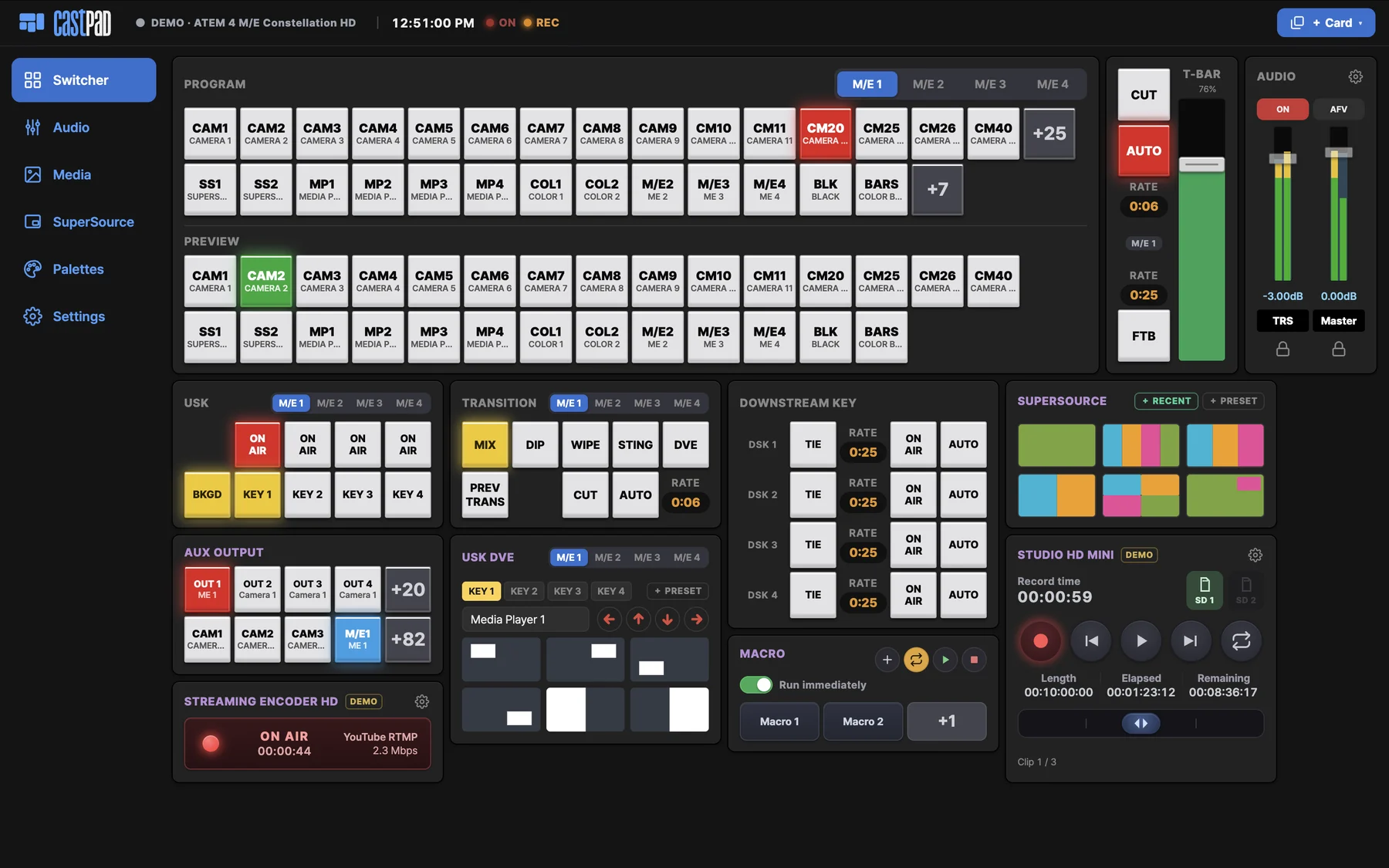
A touch remote built from cards —
only the controls you actually use.
Connects from your iOS or Android tablet or phone in seconds.
SCENE 01 · CLEAN DECK
Buttons you don’t use? Hide them
Long-press a button and drop it on the +N button to hide it. Bring it back in one tap —
fewer buttons make the card smaller, so only what you use stays on screen.
PROGRAM
Hidden buttons
SCENE 02 · LAYOUT EDIT
Arrange it your way
Long-press a card and move it — the rest make room.
LAYOUT EDIT
SCENE 03 · ADD CARDS
Pick the cards your show needs
When the switcher isn’t enough — HyperDeck, SuperSource, audio, macros.
One tap on + Card and it lands on your deck.
SWITCHER
⊞ + CardAdd card
SCENE 04 · SUPERSOURCE ANIMATION
SuperSource, animated
Glide between saved layouts — no keyframes, no macros.
Tap the presets below. Switch animation off and it snaps — feel the difference.
Tap box = select · drag = move · corner = resize · edges = crop
Click a preset to apply · the toggles and speed really work
SCENE 05 · EVERYTHING ON DECK
Everything you need to control an ATEM
Connect in seconds
Scans your network and finds ATEMs automatically. No static IPs, no setup utility.
Audio mixer
Faders that magnet to 0 dB, ±0.2 dB precision editing, live meters.
HyperDeck control
Record, play, jog/shuttle scrubbing — full transport on one card.
Broadcast · record
Tap to go live, hold to stop. Never kill a broadcast by accident.
Several devices at once
Director on a tablet, operator on a phone — every screen stays in sync.
Macros
Record right on the Pad, run once or loop.
Media pool
Load stills onto players, upload straight from your device.
Adapts to your switcher
Reads each model’s capabilities and shows only what it has.
Hide the built-ins too
The card manager shows or hides even default cards (audio, DSK, T-Bar…) — your deck, your rules.
Any ATEM
From the Mini to the Constellation 8K — HyperDecks and streaming encoders join as cards over IP.
SCENE 06 · TRY IT
Right now, no install
Add cards, hide buttons, glide SuperSource — all in your browser.
Modeled on an ATEM Mini Extreme.
Opens in a new tab · no sign-up, no install
Your tablet is the control panel
Get it on Google Play and connect to your ATEM in seconds.